
live until October 31
Halloween skin
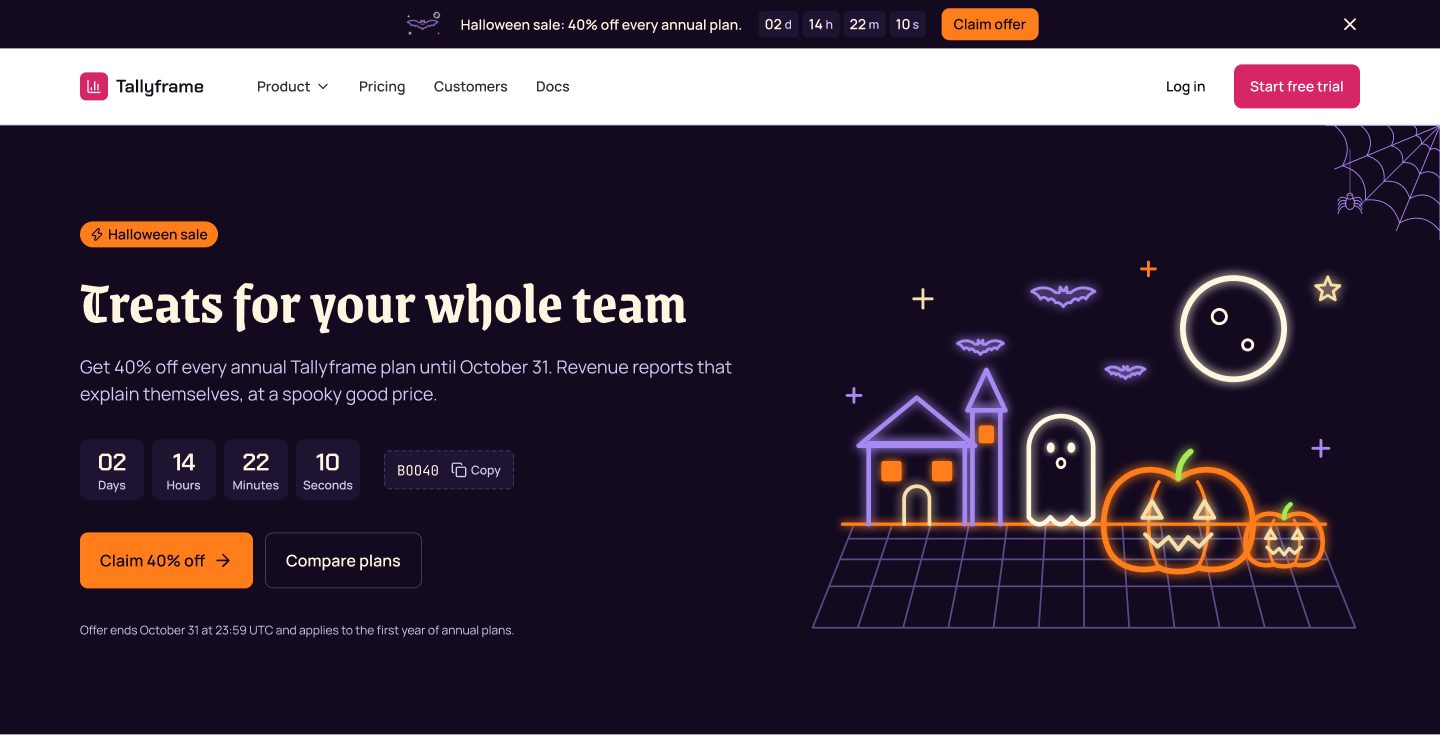
A finished Halloween campaign for your product: the sale page, the in-app offer and the email, drawn for every one of the 16 styles. Switch it on for the season and back off on November 1.
left this season
$29
one-time · all 16 styles · back every October
Prices in USD. VAT is included where applicable in the EU and UK. In the US, Canada and India, applicable sales tax is added at checkout. Your final total appears before payment.
works with any style you own, the free Lagoon included · 14 days on technical issues
see it in your style · 16 of 16
One download, sixteen styles
The skin holds a campaign set for every style. Buy it once and it follows whichever style you use, today and after a switch, with each style keeping its own header, type and buttons.
pick one to see it large above
What the skin saves you
A sale page today
The sale page, the in-app offer and the email are finished. Your AI tool only fills in your offer and your dates.
Every style you use
One download covers all 16 styles, so the campaign fits the style you have and any style you move to later.
Off on November 1
The campaign sits in its own layer. Switch back to Brand mode and every page returns to your style, with nothing to clean up.
Back every October
The skin stays in your library with its updates, ready to switch on again next year.
Halloween mode, Brand mode
The campaign components read 20 campaign tokens. Halloween mode gives them the season colors and type, Brand mode maps the same roles back to your style, so one switch starts and ends the campaign.
Treats for your whole team
Get 40% off every annual plan until October 31.
Growth
$40 $24 / month
- Unlimited reports
- 10 seats
- Shared dashboards
- Priority support
Halloween mode · campaign/surface #130a20 · campaign/accent #ff7d1b · Grenze Gotisch 700
What is in the download
Everything the campaign needs, for every style, in the same formats as the rest of your system: Figma pages, campaign tokens, registry blocks and a skill your AI tool reads.
16
sale pages
desktop and mobile
98
scenes
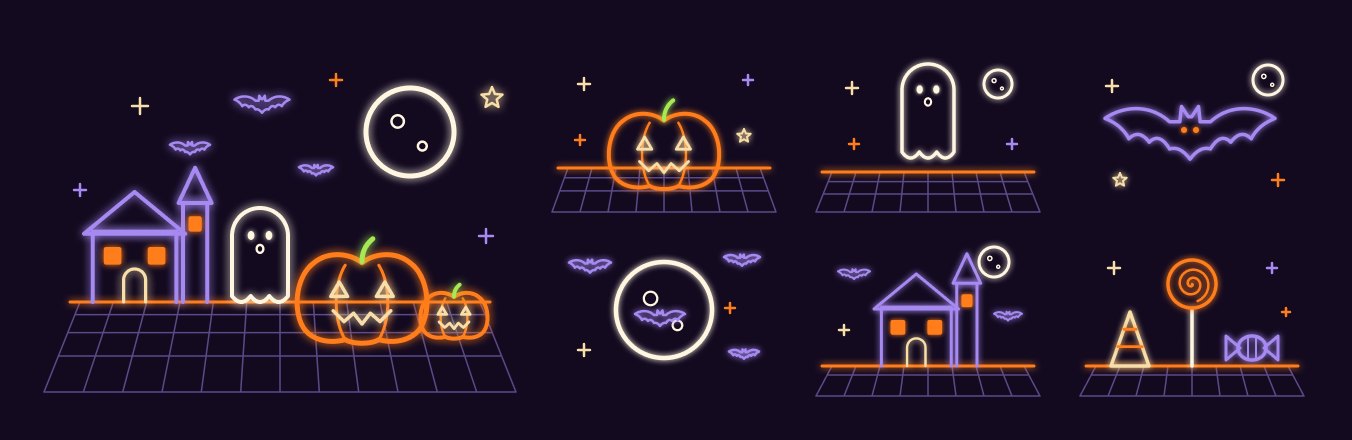
7 for every style, SVG
20
campaign tokens
Brand and Halloween modes
6
campaign components
bar, hero, countdown, code, ribbon, sticky
1
in-app offer
in every style
1
campaign email
in every style
The scenes
Seven scenes per style, drawn in the illustration language of that style: a hero, the pumpkin, the ghost, the bat, the moon, the haunted house and the treats.
The campaign tokens
The season lives in its own small set of tokens, so the campaign can change while your brand stays put.
campaign/surface
#130a20 · campaign bars and promo heroes
campaign/surface-raised
#1f1332 · countdown units and coupon chips
campaign/accent
#ff7d1b · buttons on a campaign surface
campaign/on-surface
#fff6e1 · text on a campaign surface
campaign/highlight
#a689f1 · glows, sparkles and ornaments
campaign/illus-7
#a7e954 · the pop color in the scenes
all 20 in the download
display type Grenze Gotisch 700
Live in three steps
- 1
Add the skin
Unzip the skin next to your style. The registry blocks and the skill come with it.
- 2
Ask for the sale page
Tell your AI tool to switch on Halloween mode and build the sale page from the skin.
- 3
Switch it off
On November 1, switch back to Brand mode. Every page returns to your style.
The season calendar
The whole season for $89
Halloween, Diwali, Thanksgiving, Black Friday and Christmas in the Q4 skins bundle, worth $145 bought one by one.
Questions
Do I download it once for every style?
Yes. One download holds the campaign for all 16 styles. Switch your style and the skin follows it.
Does it work with a Style Pack?
Yes. It works with a Style Pack, a Full Design System or the free Lagoon, and the Figma pages of the campaign come with it every time.
Will it change my brand colors?
The campaign layer brings its own season colors and type. Your header, buttons and pages keep the style you chose.
What happens after October 31?
Switch to Brand mode and your pages return to your style. The skin stays in your library for next October, with its updates.
Can my whole team use it?
Yes. One purchase covers you, or your company and its team, in your own and your client projects.
17 days left this season
Your sale page can go live today
One download, every style, and the same skin back next October.
$29
one-time · all 16 styles
Prices in USD. VAT is included where applicable in the EU and UK. In the US, Canada and India, applicable sales tax is added at checkout. Your final total appears before payment.
Add the Halloween skinWorks well with
picked to go with the Halloween skin
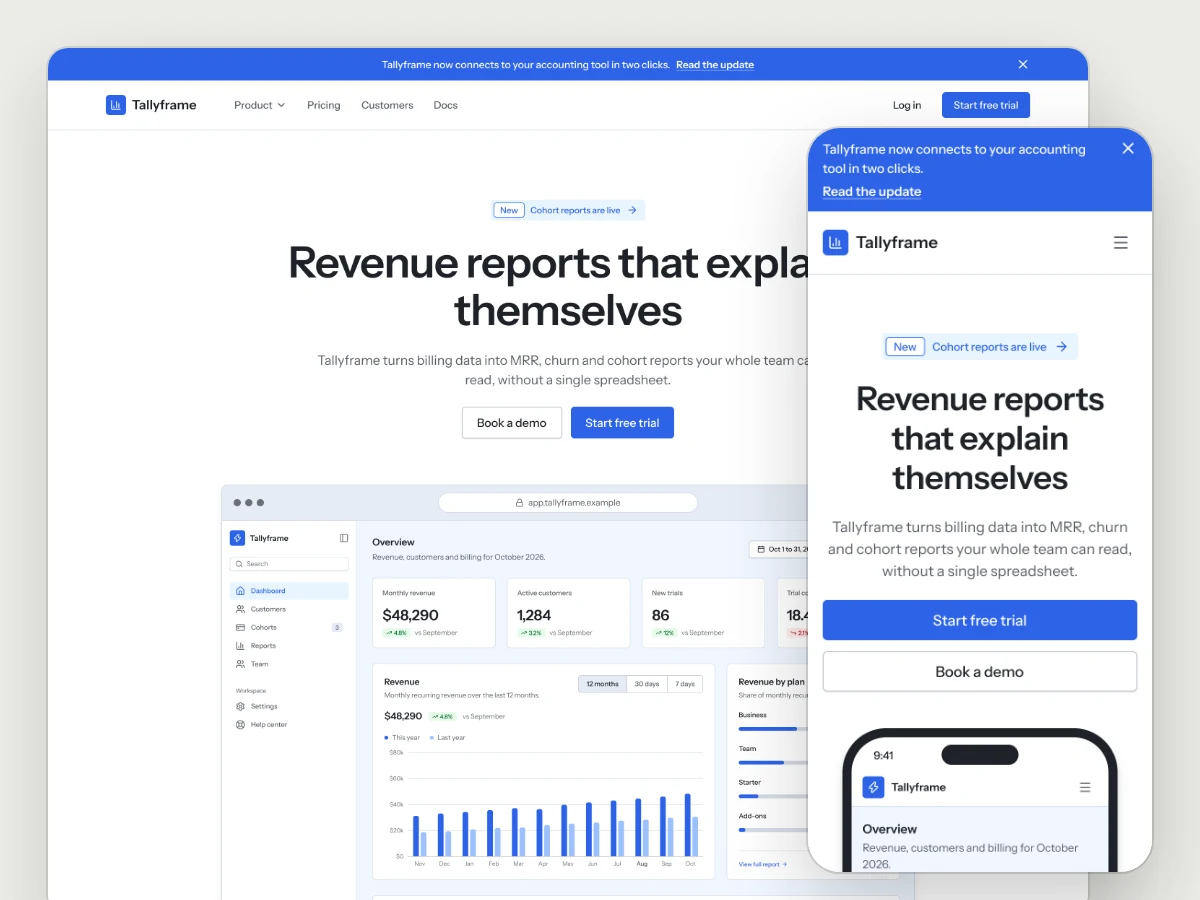
Marketing Site Kit
Landing pages, pricing, changelog, waitlist, about and contact, in whichever style you choose.
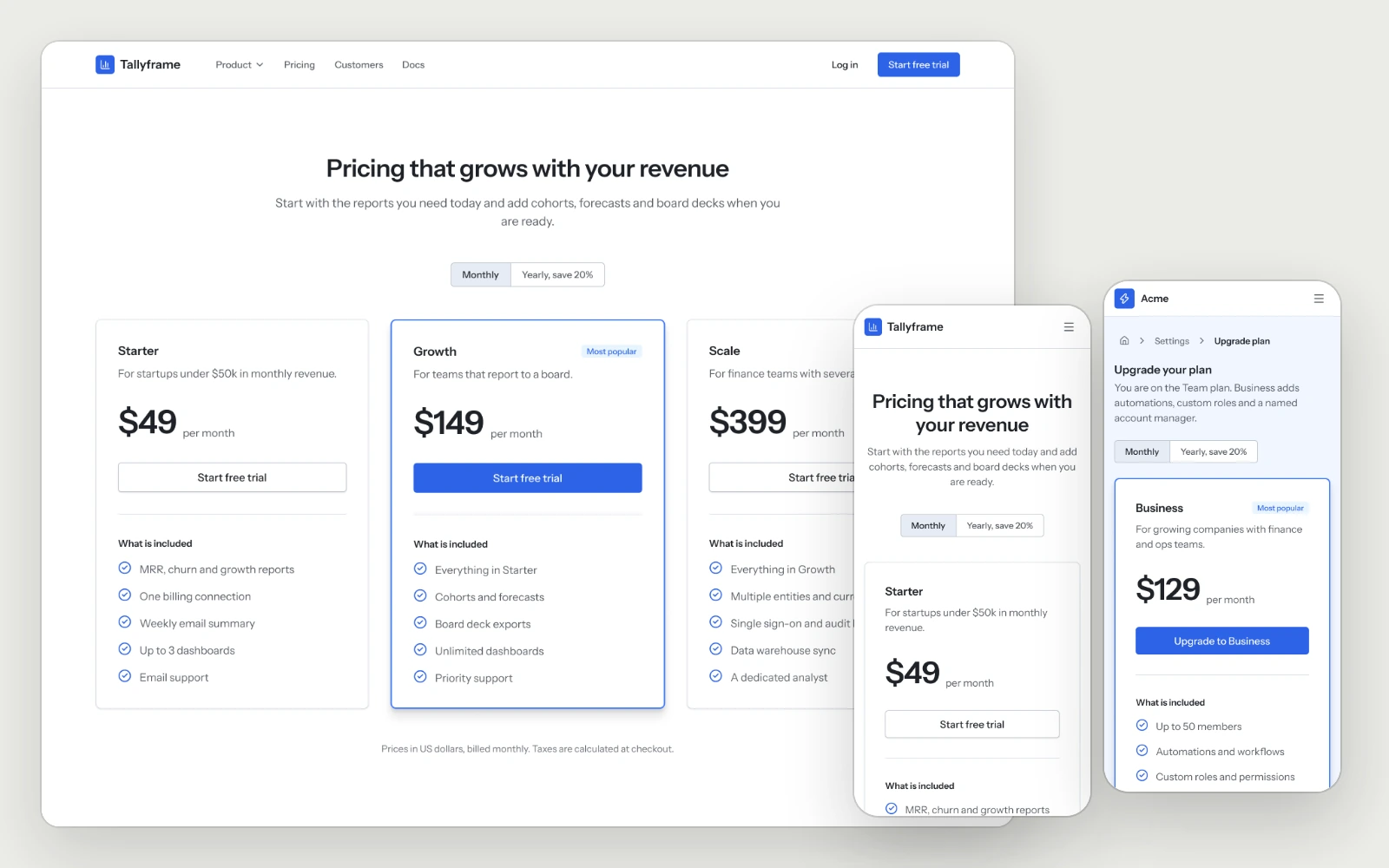
Pricing & Paywall
The pricing page with the full plan comparison, and the in-app upgrade with the current plan marked and the recommended one highlighted.
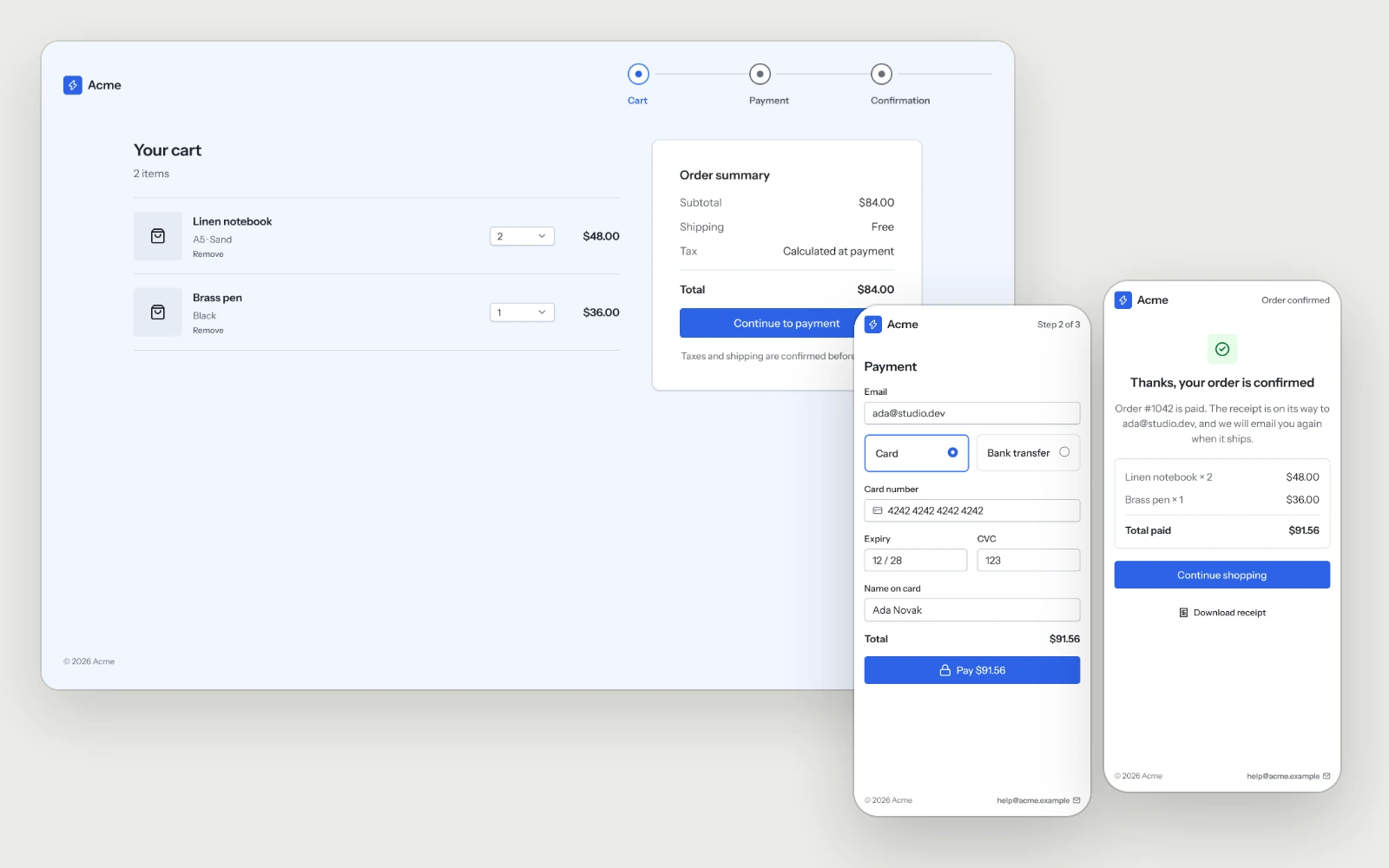
Checkout
The cart, payment in one view and the confirmation, with the total shown before the button and a declined card that keeps everything people typed.