
Team & Permissions
UX Pack · works with every style
Members with their role, status and last activity, the invite link and the default role, so the second person on an account gets in without help.
Prices in USD. VAT is included where applicable in the EU and UK. In the US, Canada and India, applicable sales tax is added at checkout. Your final total appears before payment.
One screen on desktop and mobile
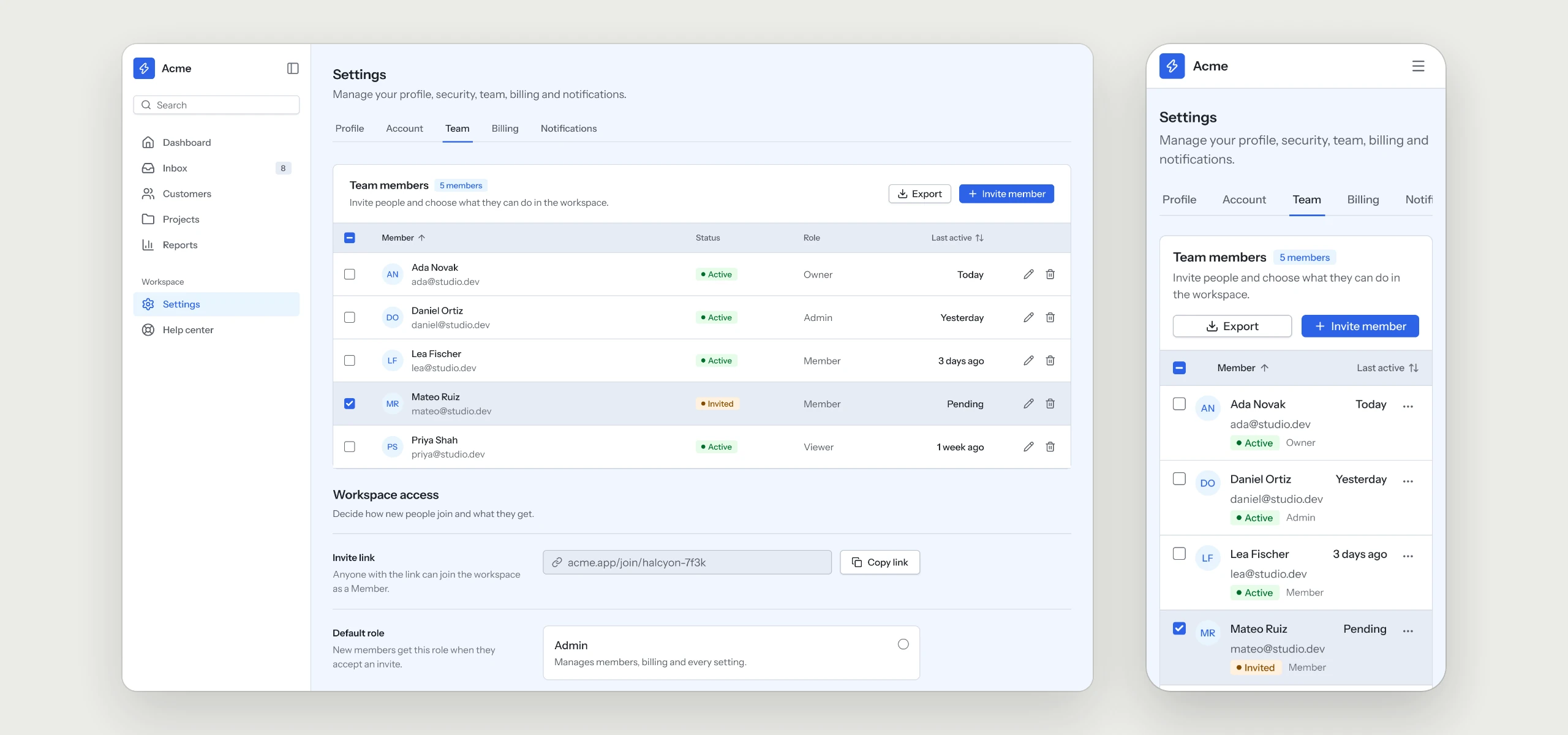
Team members in the Table component with role, status and last activity, followed by the invite link and the default role as Radio cards.
The rules your AI tool follows
Written into the skill, so every team page your agent builds keeps them, in any style.
- 01Every member with role, status and last activityOne table answers who is on the account and what they can do.
- 02An invite link next to the listPeople can bring in a teammate without leaving the page.
- 03A default role for every newcomerRadio cards set the role an invite gets, so nobody joins with too much access.
- 04Full-width buttons on mobileOn a phone the table turns into stacked rows and every button fills the width.
What is in the folder
Questions
Why does a UX Pack have no colors?
It describes how the flow works. The look comes from the style you already use, so it fits in without a second set of tokens.
Does it send the invite emails?
The pack covers the screens and the rules behind them. Sending invites and checking roles stay with your backend and your code.
Which other UX Packs are there?
Sign-in & Sign-up, Onboarding, Dashboard, Settings & Account, Billing & Subscriptions, Pricing & Paywall, Notifications, Search & Filters, Help Center & Errors and Checkout are ready today, with AI Chat and Forms & Validation on the way.
Works well with
A style gives the pack its look. A kit adds every other page of the product around this flow, and the two fit together.
picked to go with Team & Permissions
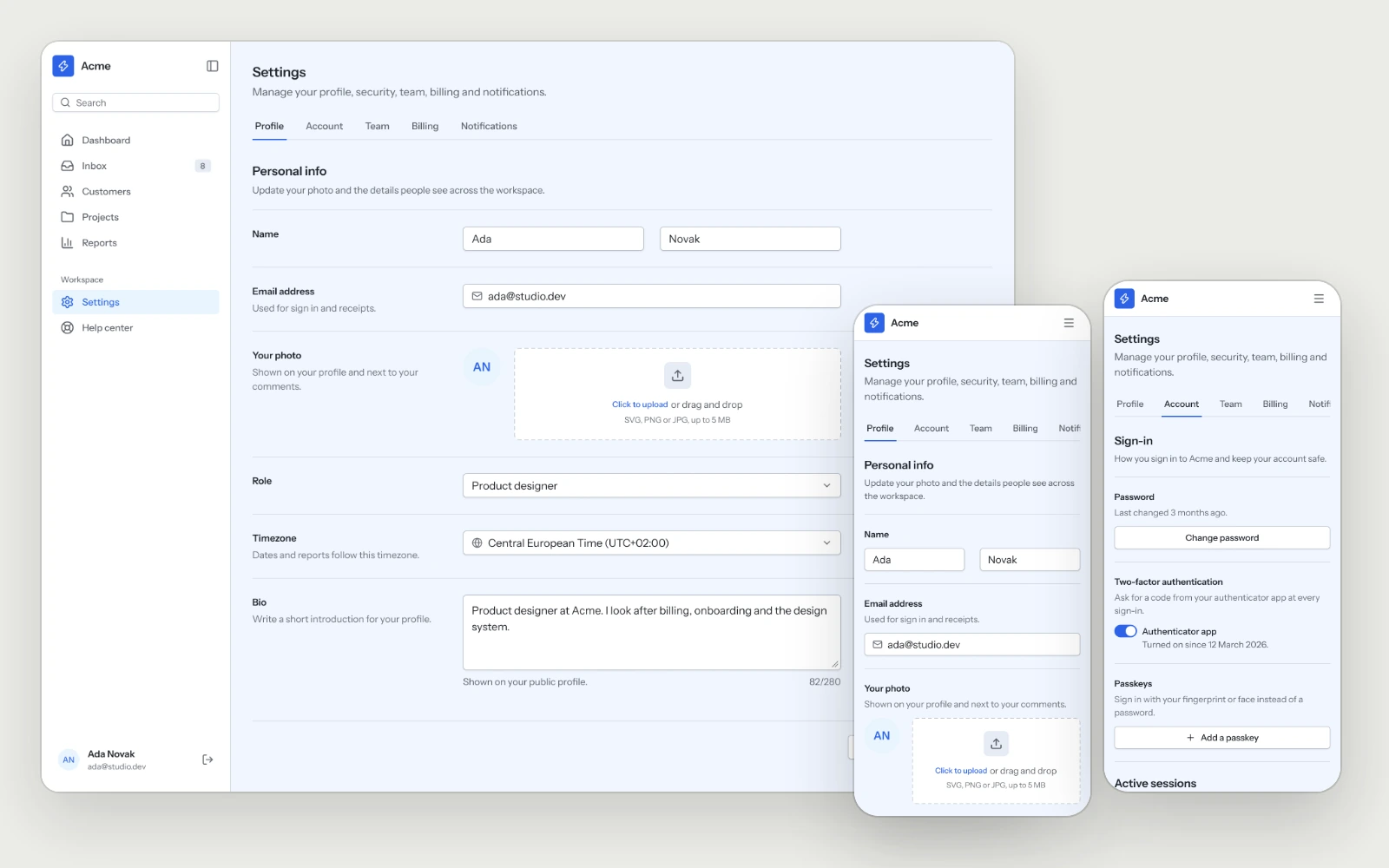
Settings & Account
Profile, sign-in methods, two-factor, sessions and account deletion, laid out so people find the setting they came for on the first try.
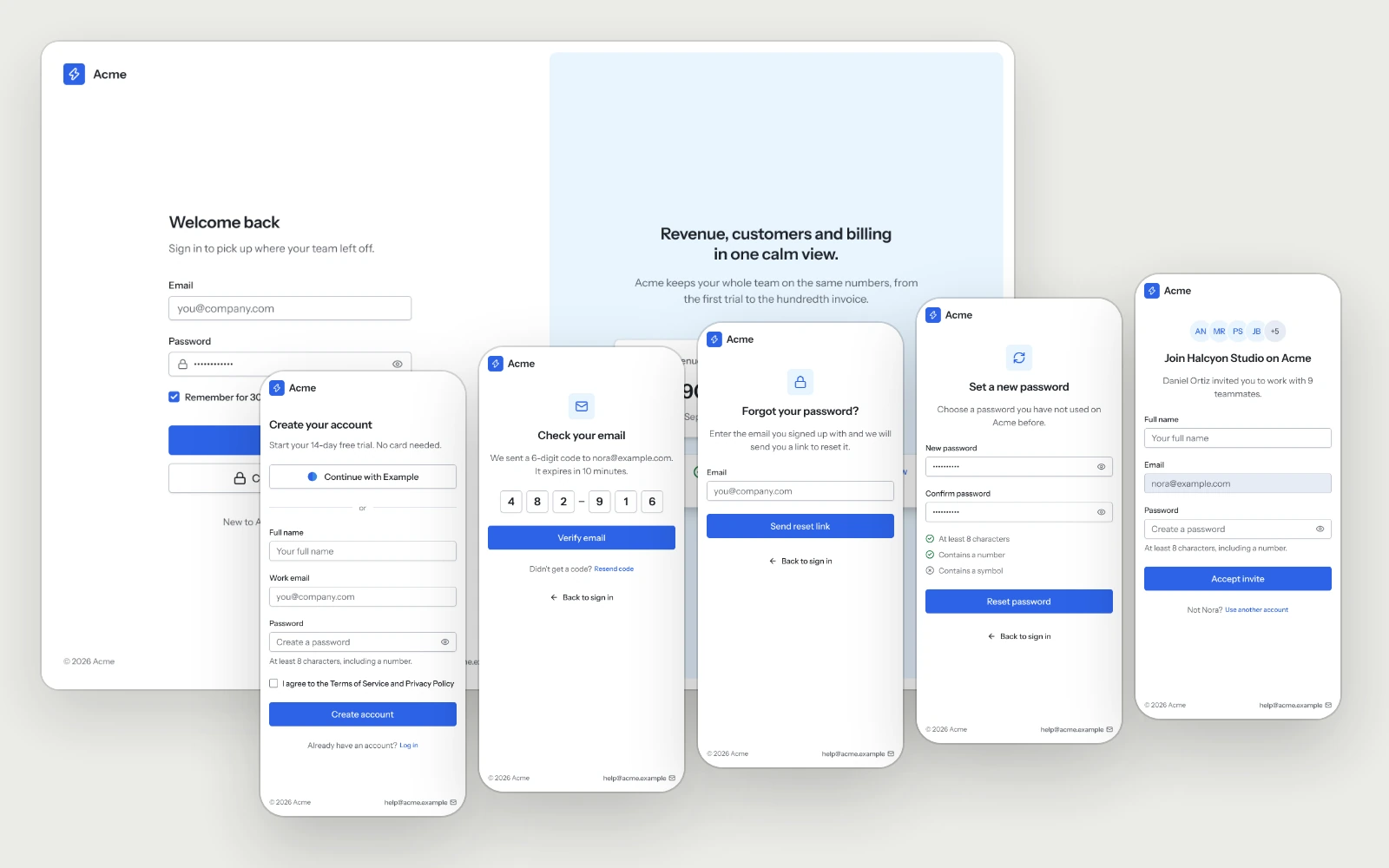
Sign-in & Sign-up
Sign in, sign up, the email code, password recovery and the invite page.
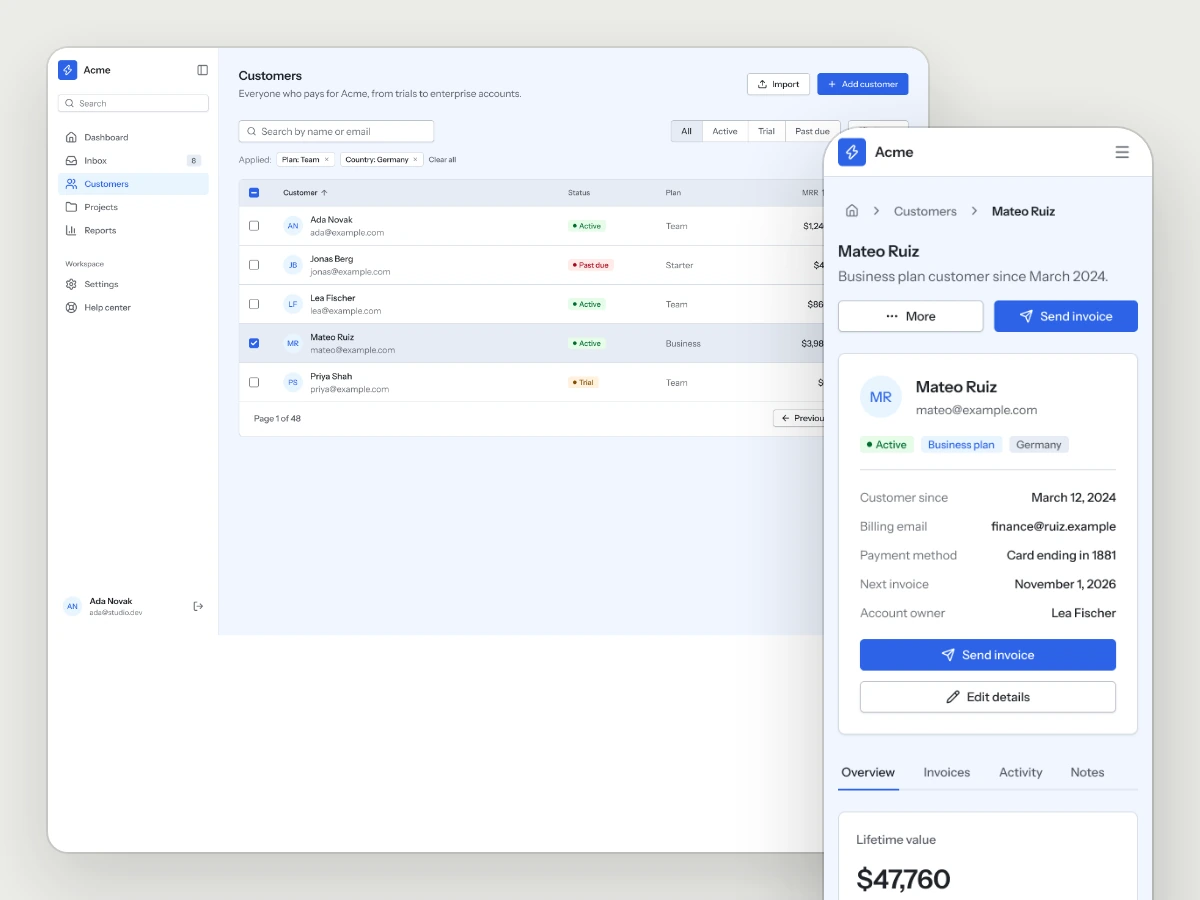
Business Tools Kit
Dashboards, lists, detail views and settings for the tools that run a business.